Apps.
NaN Cloud lets you deploy your own apps from a GitHub repository: we build your image, publish it in your isolated environment, and serve it behind a public domain with HTTPS. All in one click.
Before you start Apps live inside a Space: your own environment with its own resource quota. If you have an active inference subscription, you receive one free Basic Space included in your membership. If not, you can purchase one from cloud.nan.builders/spaces.
Available tiers
Each Space belongs to a tier. The tier defines the total CPU, RAM, and storage quota shared across all apps you deploy within it. You can upgrade or downgrade at any time from the Space dashboard (downgrades are only allowed if your current usage fits within the new tier).
| Tier | CPU | RAM | Disk | Pods | Price |
|---|---|---|---|---|---|
| Basic | 2 vCPU | 4 GiB | 20 GiB | 5 | Free with inference · $6 / €6 per month |
| Medium | 4 vCPU | 8 GiB | 40 GiB | 10 | $12 / €12 per month |
| Large | 4 vCPU | 16 GiB | 80 GiB | 20 | $24 / €24 per month |
CPU and RAM are the Space aggregate limits (sum of all your apps). By default, each app you create starts with a comfortable limit of 500m CPU and 500 MiB RAM, enough for a typical API or worker; you can increase the per-app limit from the Advanced options section of the form up to consuming the full tier. Disk is shared via PVCs (5/10/20 per tier) and is only used by apps you mark as persistent.
1. Create a Space
Go to cloud.nan.builders/spaces. If you’re an inference member, you’ll see a panel offering you a free Basic Space: choose a slug (1–20 characters, lowercase, no spaces) and click Claim free Basic. The slug will be used to build the public domains of your apps, so choose it wisely.
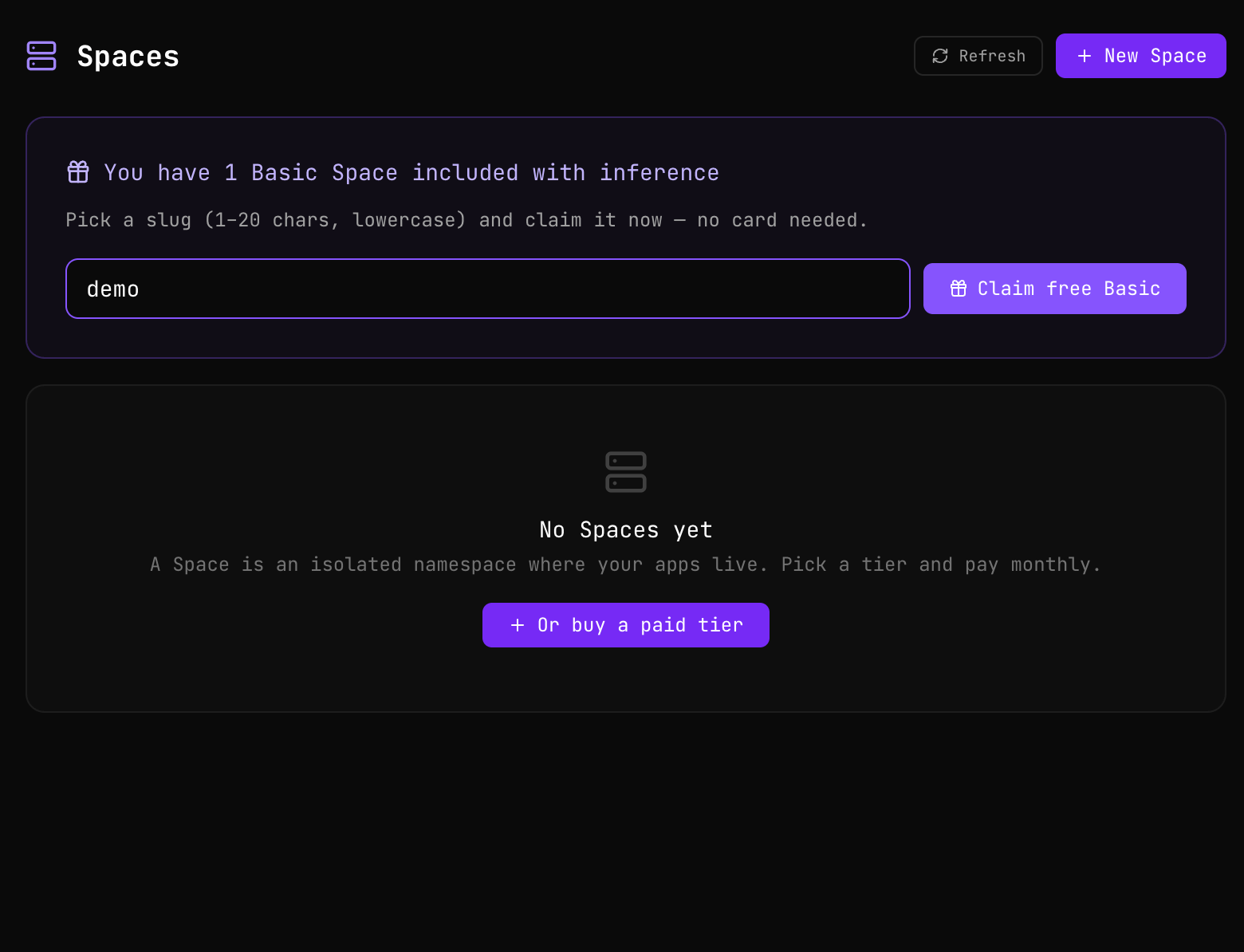
The Space activates instantly.
2. Create an App within the Space
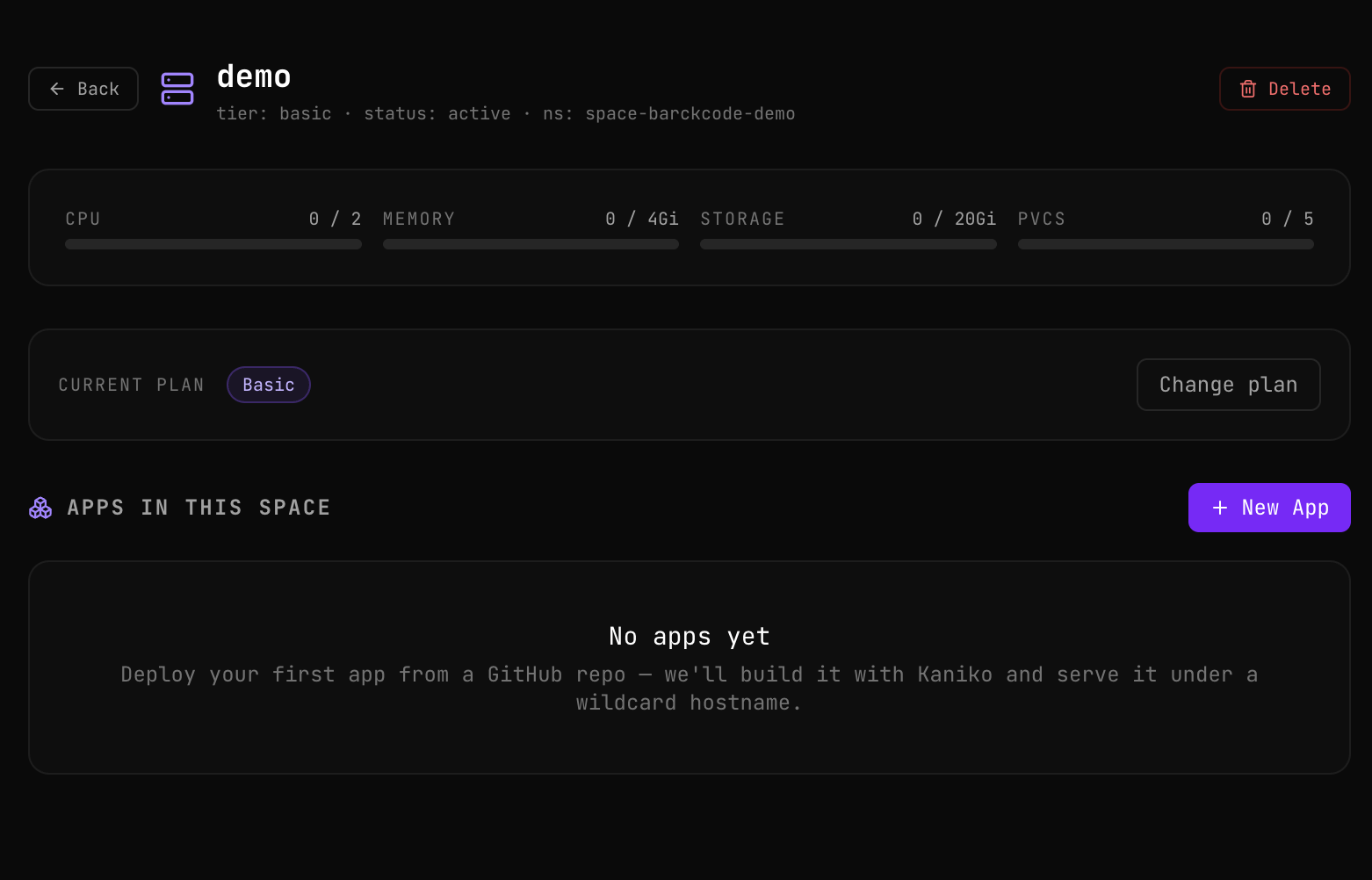
Open your newly created Space. You’ll see the resource usage summary, the Change plan button if you want to upgrade at any point, and the Apps in this Space section. Click New App to start the form.
3. Connect GitHub and configure the build
Connect your GitHub account by authorizing the NaN Cloud GitHub App to the repository you want to deploy (the first time it takes you to the official installation flow on github.com). Once connected, select the repo from the list, choose the branch, and give your App a name.
Mandatory requirement: Dockerfile Your repository must contain a
Dockerfileat the root (or at the path you configure). Without a Dockerfile we cannot build your image and the app will not deploy. This gives you full control over the runtime, dependencies, and processes that start inside your app.
If your app is an HTTP service (web page, API, admin panel, etc.), check Expose over HTTP and specify the port your app listens on internally. For example, if you start with node server.js listening on :8080, put 8080 here. We’ll handle publishing it on a public domain with HTTPS.
If your app is a process that doesn’t need to be accessible from outside (a worker, a cron, a queue consumer, etc.), uncheck Expose over HTTP: the app will start in worker mode, without a public URL.
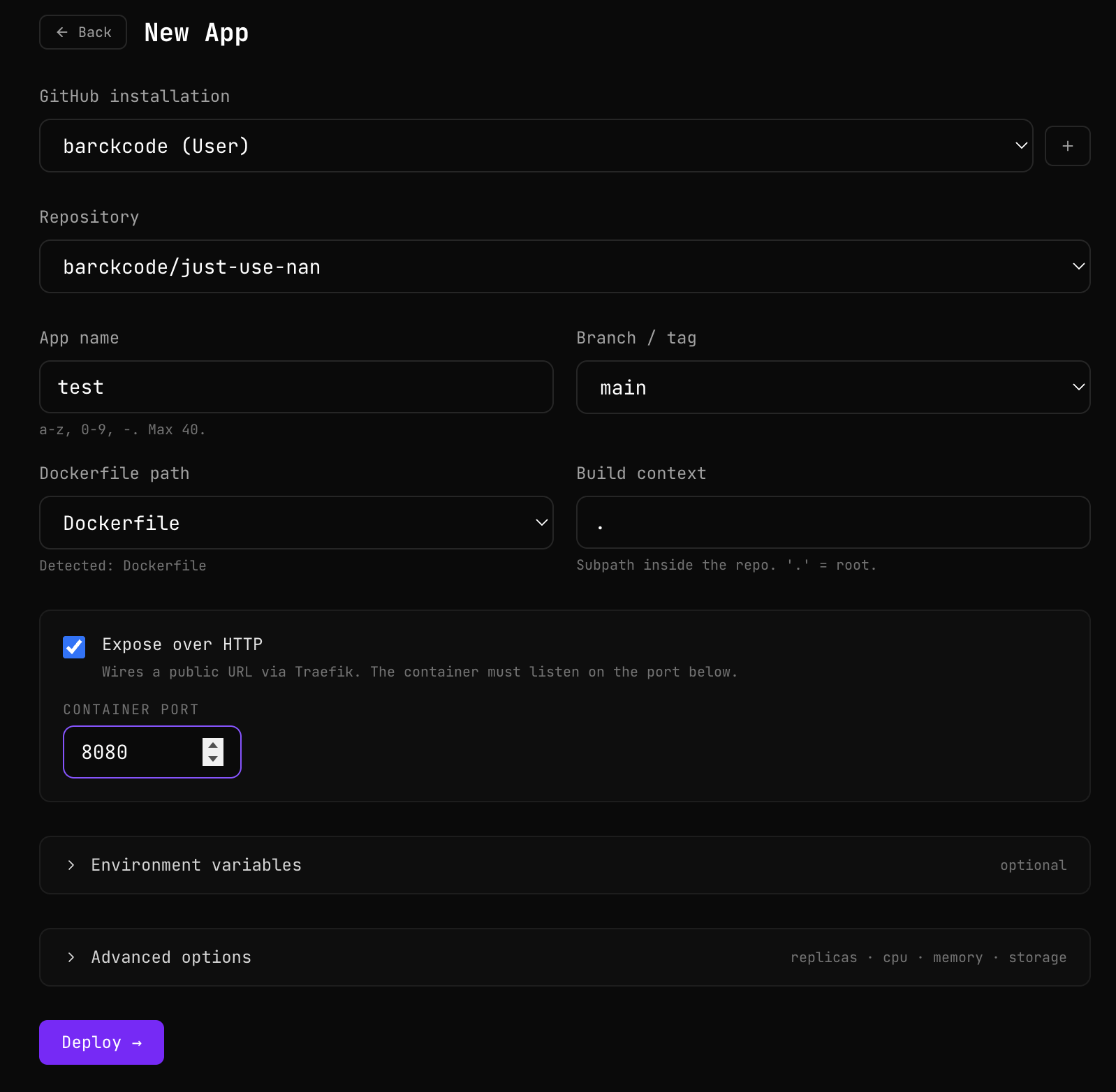
The Environment variables block (optional) lets you add both runtime and build variables. And in Advanced options you can adjust replicas, CPU/memory, and add persistent storage if your app needs to save state.
Click Deploy. On the App detail screen you’ll see the build in real-time. After the build, if everything went well, you’ll see the status change to Running.
4. Open your App
When the status is Running, click the Open button in the top right. It opens your app’s public URL in a new tab.
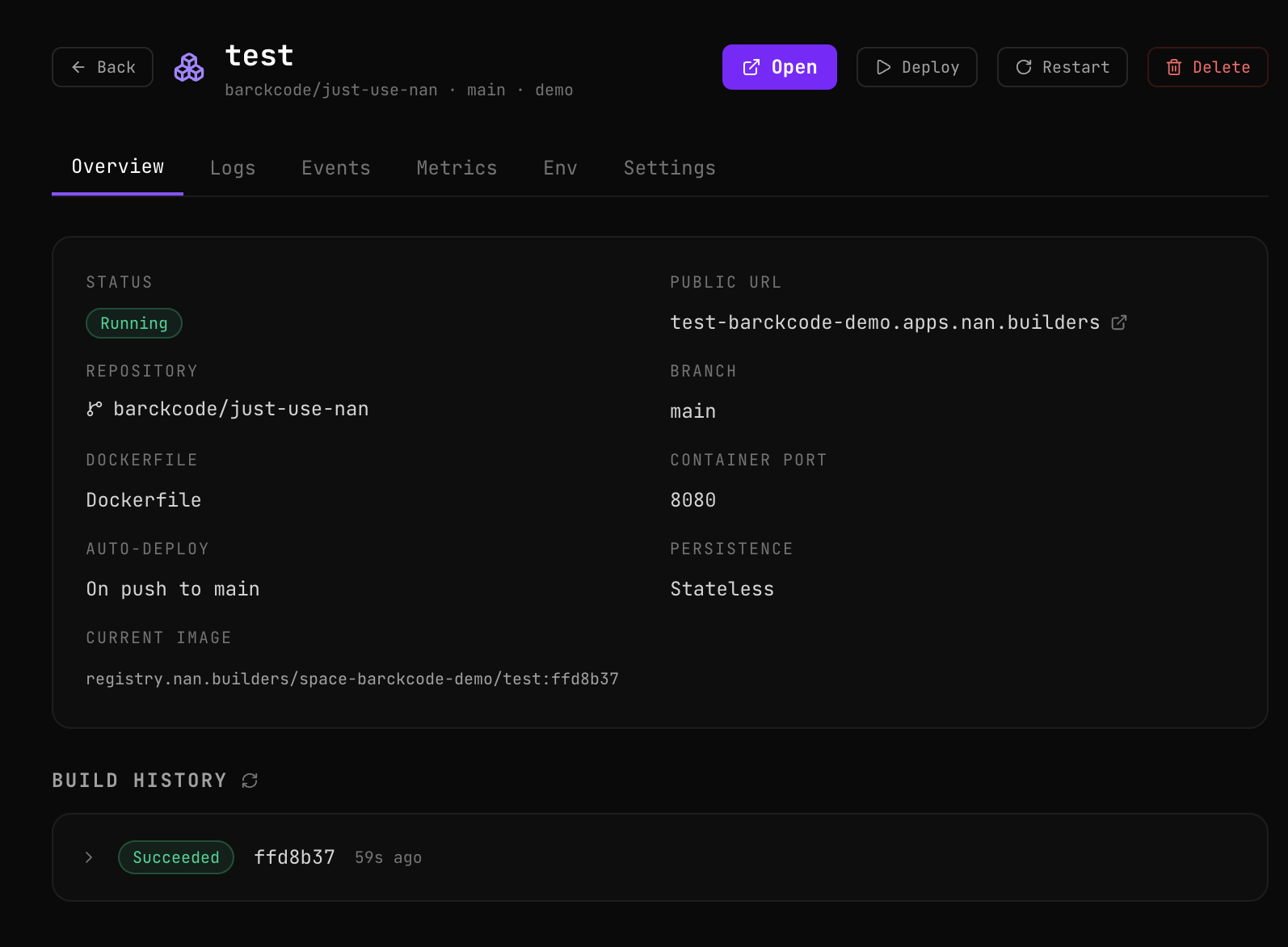
From the same screen you have access to your app’s live logs, events, metrics (CPU, memory, disk), environment variable management, and a settings panel to mutate branch, Dockerfile, port, and resources on the fly.
5. Your app, in production
That’s it. Your GitHub repository is serving real traffic from a public domain with HTTPS, on our infrastructure. Each git push to the configured branch (with auto-deploy enabled) triggers a new build automatically.
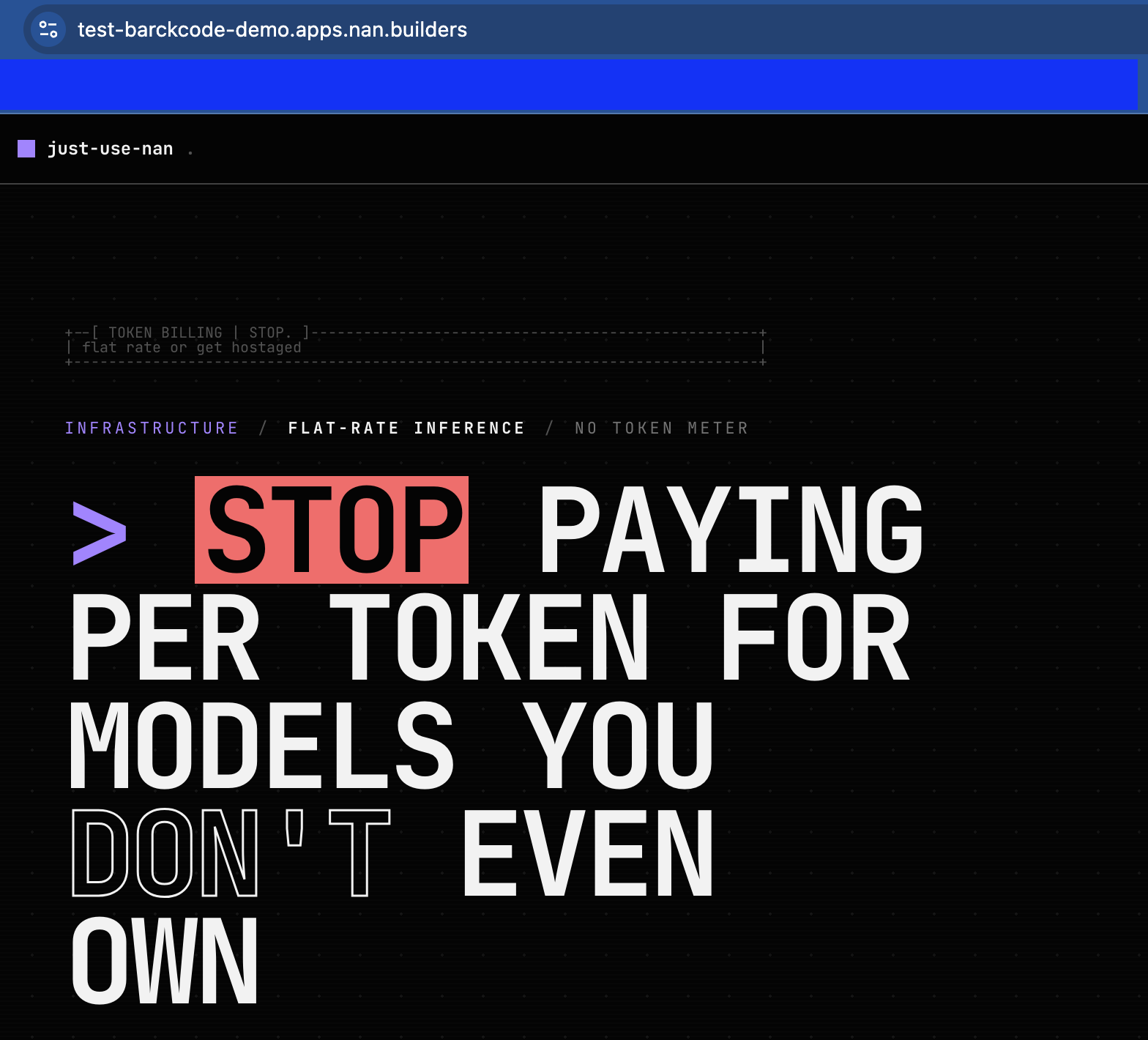
Your App is live. With these 5 steps you already have your app deployed. If you need to scale (more resources, more replicas, persistent storage, more Spaces to separate dev/staging/prod environments), you can do so at any time from the dashboard. Apps and Spaces are in Beta — if you find any issues, report them in
#supporton Discord.